Bulk-connect subbies, daily log sub-logs, and self-serve templates
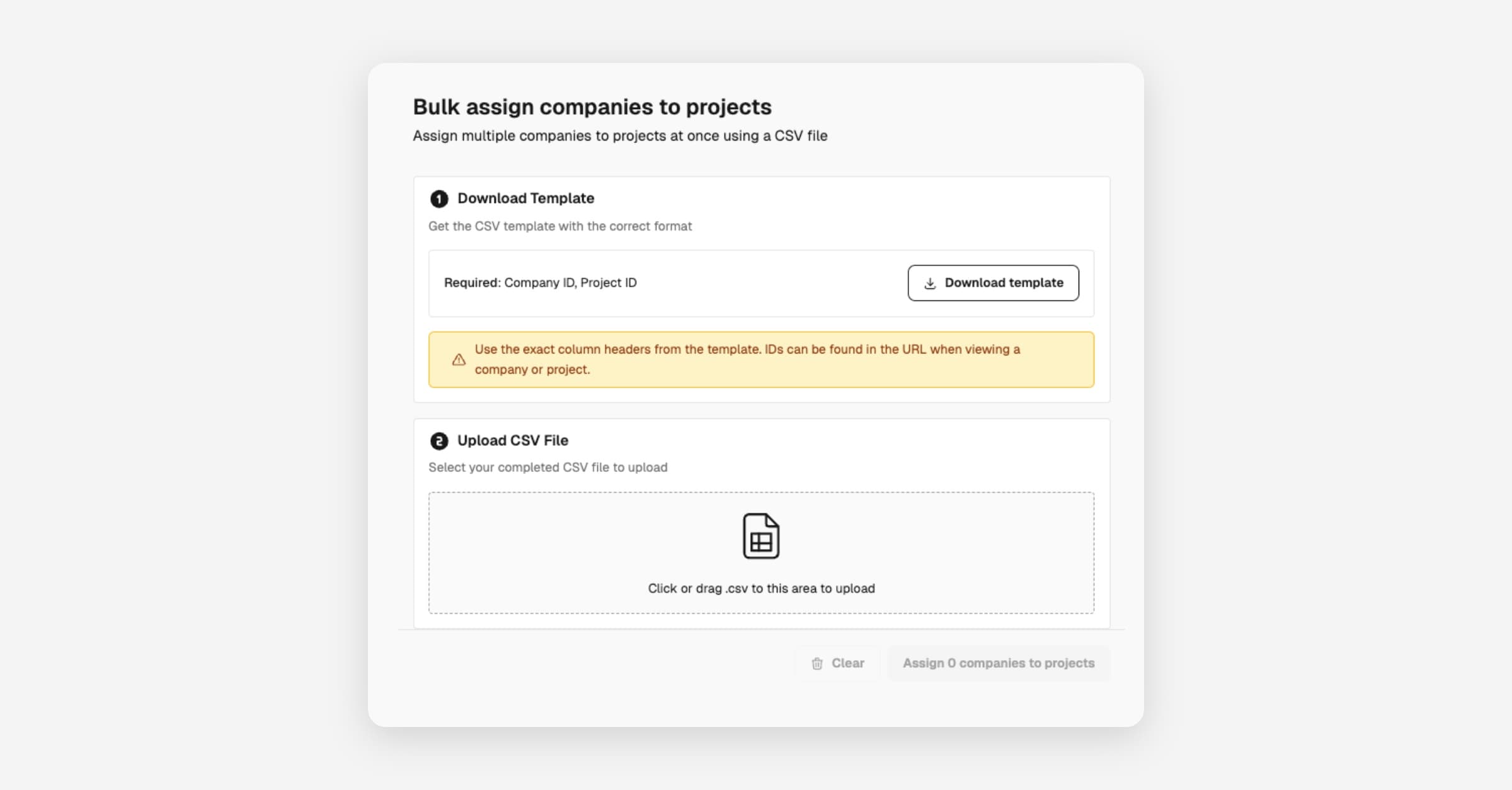
Connect subcontractors to projects in bulk, run separate daily log entries for multi-zone sites, and manage your own templates without raising a ticket. Three upgrades from one release, all aimed at cutting admin overhead on growing projects.
Bulk-connect subcontractors to projects
Prepare a CSV of the relationships you need and upload it once to connect every subcontractor to every project in a single action.
- Bulk CSV upload for subcontractor-to-project connections
- Validation and error reporting for failed rows
- Connect existing subcontractors to new projects, or new subcontractors to existing projects
From Subcontractors, click Import and select "Connect to Projects" to upload your CSV.
Site diary sub-logs
Log work across multiple buildings, zones, or work areas as separate sub-logs that roll up under one main daily diary, so multi-zone residential and commercial sites keep a clean daily record.
- Log work at different areas (Building A, Building B, the car park) as separate sub-logs
- Each sub-log uses its own template, so you can capture different information per location
- All sub-logs roll up under the parent diary for that day
- "Related entries" renamed to "Sub-logs" to make the hierarchy clearer
To get started, open any diary from Daily Logs and add a sub-log.
Self-serve template management
Manage your own templates across most modules without raising a Customer Success ticket, with safeguards that protect company defaults.
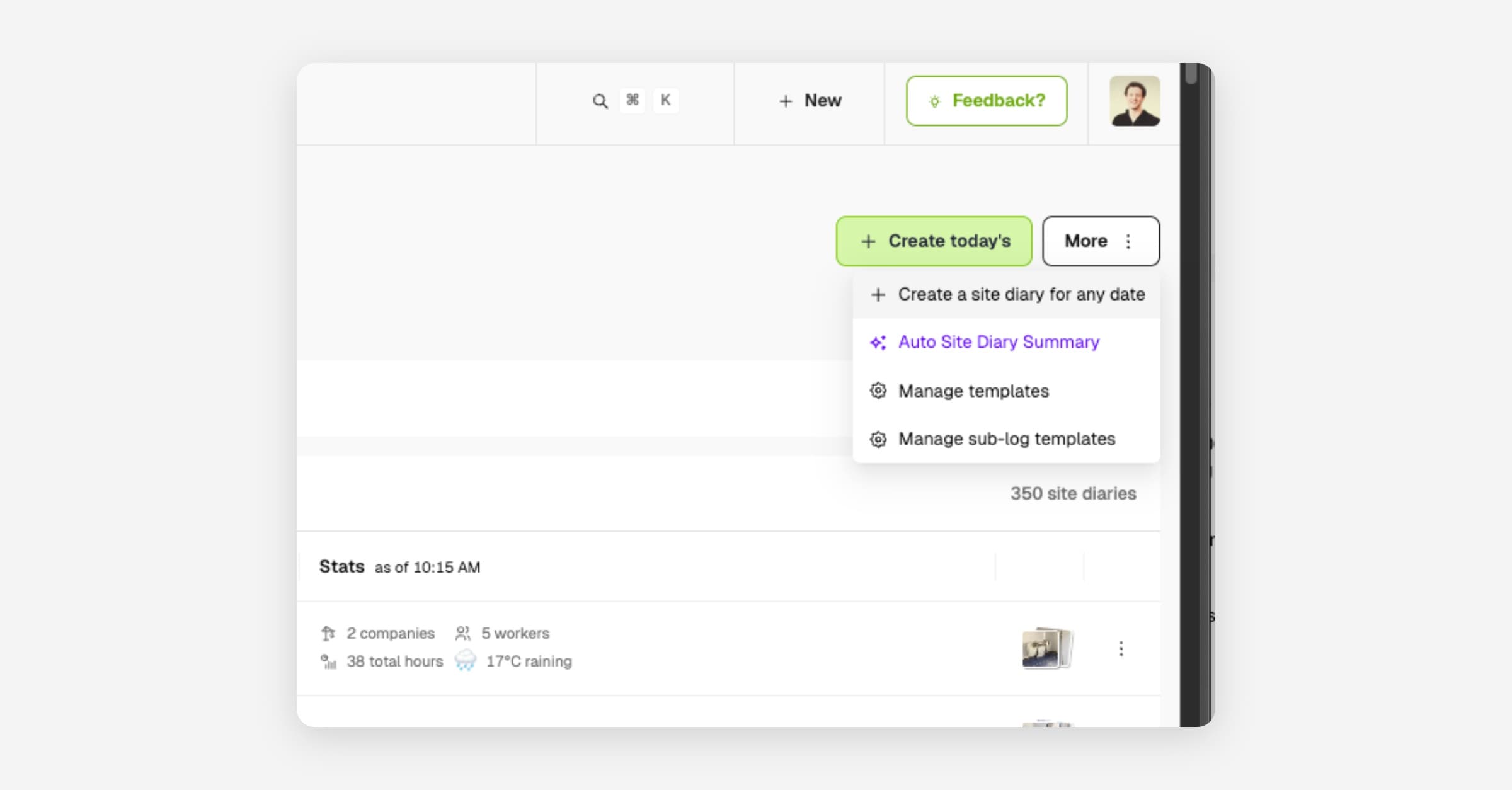
- Admin-controlled template management across most modules
- Safeguards to prevent unintended changes to company default templates
- Role-based restrictions, with module-specific overrides where required (for example, orientations)
Try it from any module's sidebar entry - open Manage templates, for example Daily Logs > ...More > Manage templates.
Fixes and improvements
- Drawings: Improved sorting and added prev/next navigation on drawing detail pages.
- File uploads: Progress indicators, cancel buttons, and confirmation dialogs so you always know what's happening during uploads.
- Worker app (1.51.5): More reliable auto sign-on/sign-off with geofencing; "Fencer" added to trade options.
- Integrations: Faster sync times for Procore and Adaptive, with better error handling and admin notifications.
- Daily Logs: Fixed an edge case where duplicate main diary entries could be created.
- Worker app: Mobile app crash fixes and notification display improvements.