Align drawing revisions when pages don't line up
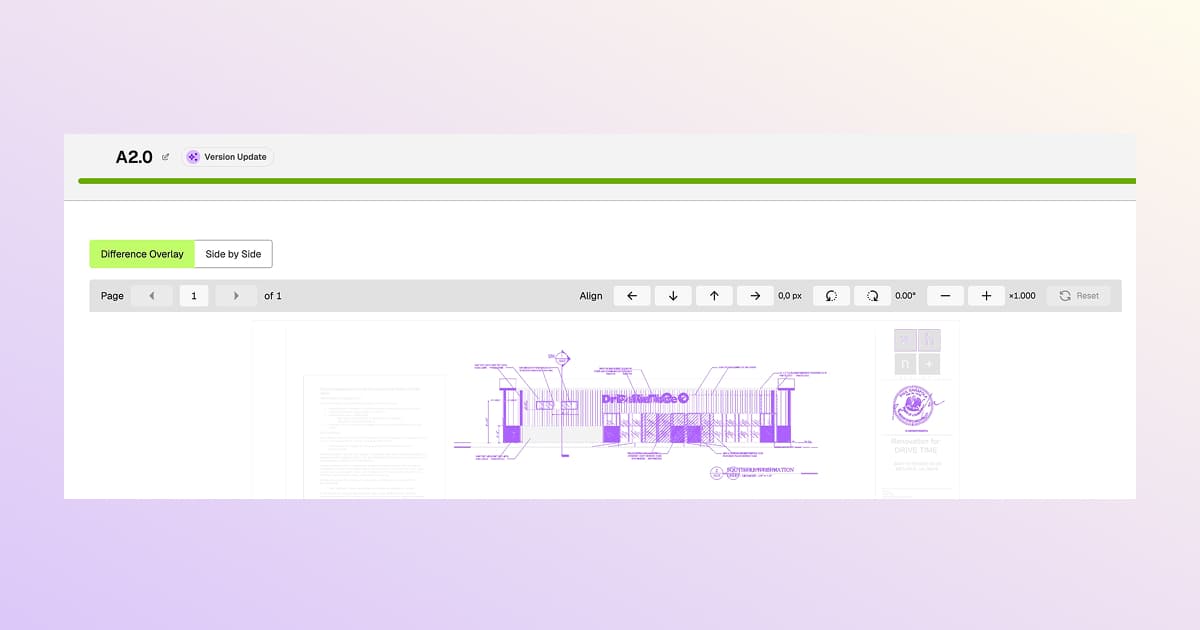
Align drawing revisions manually in the Difference Overlay so the diff highlights real changes, not pages that shifted a few pixels when the architect re-exported the PDF. Move, rotate, and scale one revision over the other until the underlays match, then let the overlay mark the true differences.
- Move - nudge the revision up, down, left, or right with pixel readouts
- Rotate - correct small angle offsets, with a degree readout
- Scale - resize to match the other revision
- Reset - restore the original alignment in one click
Alignments are per-page and aren't saved between sessions - if you close the diff and reopen it, you'll need to realign.
From Drawings, review an uploaded revision or compare two existing versions, switch to Difference Overlay, and use the Align controls above the sheet.
Available on Premium and Enterprise plans - reach out via live chat if you'd like this enabled.