External workflow notifications and PDF attachments
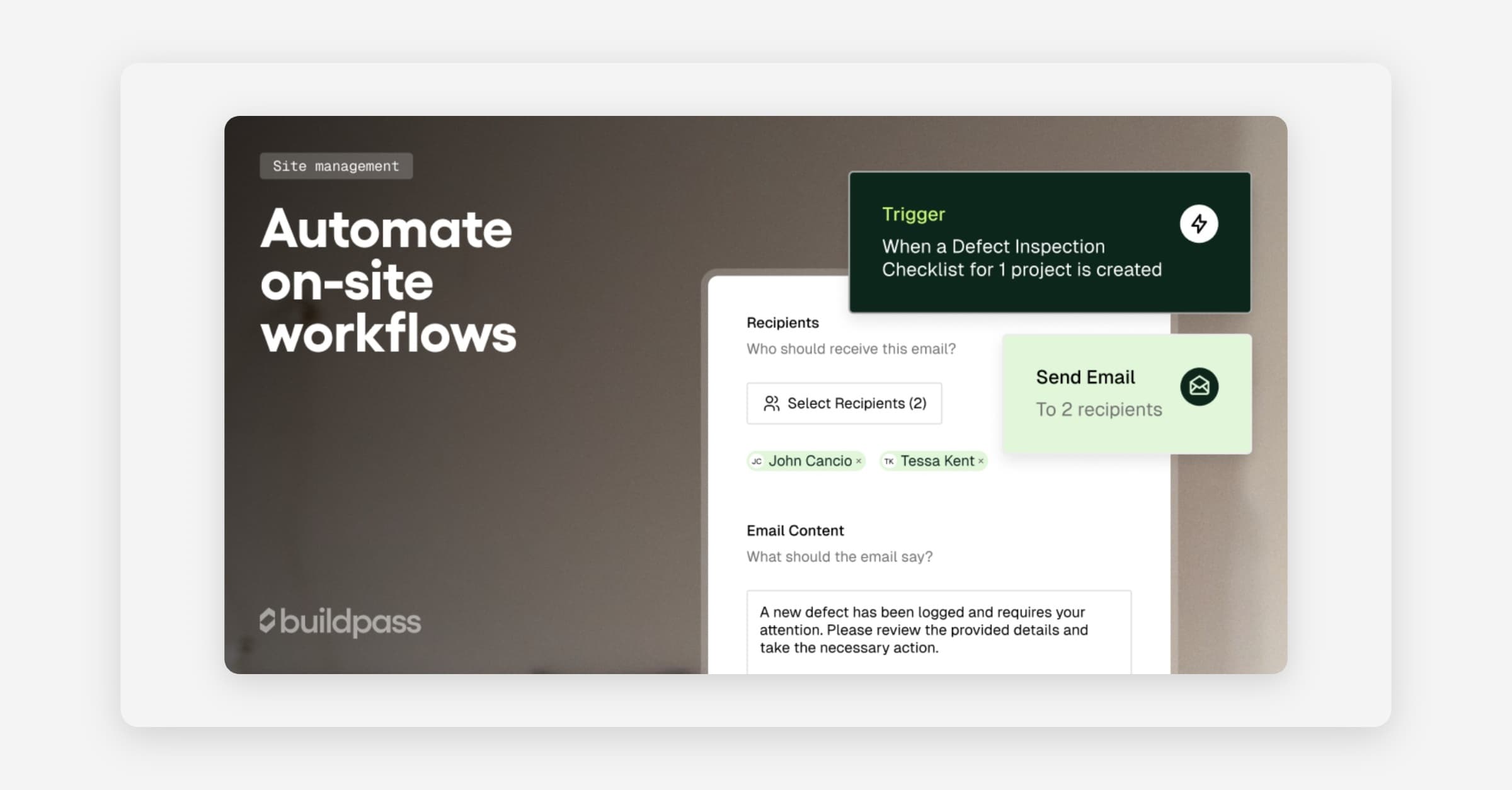
Loop external clients, engineers, and consultants into workflow notifications without giving them platform access, and attach a printable PDF to every email by default. Workflows can now send email or SMS to anyone outside BuildPass, and generated PDFs land in every notification automatically.
External workflow notifications
Reach clients, engineers, and consultants directly from your workflows with SMS or email, without adding them as platform users.
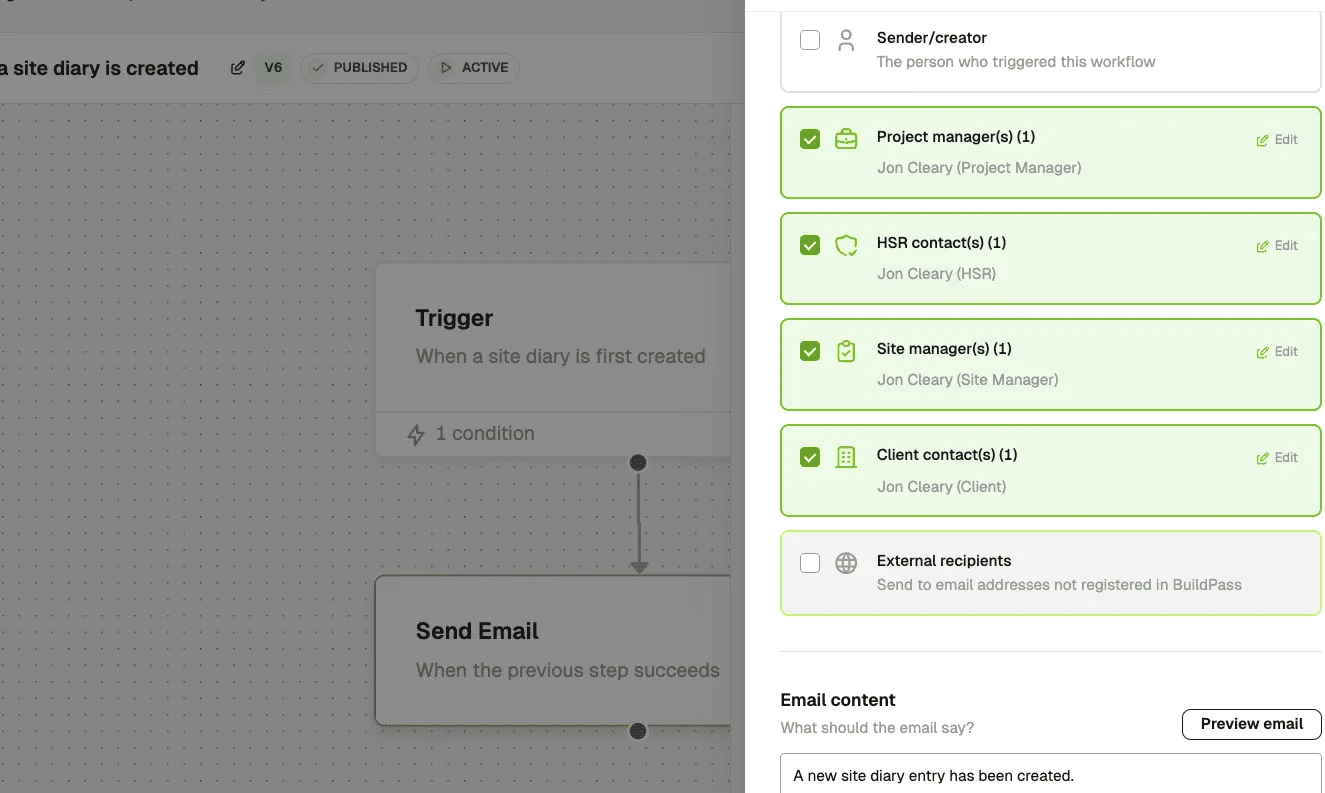
- Add external emails and phone numbers in Send Email/SMS steps
- Select HSRs, site managers, and clients with inline editing
To set it up, add a Send Email or Send SMS action to your workflow and enter external recipient details.
PDF attachments in notifications
Give site teams a printable record of every workflow notification without them having to log in. Every workflow email attaches an auto-generated PDF by default, with per-workflow opt-out and an opt-in "Download PDF" link for SMS steps.
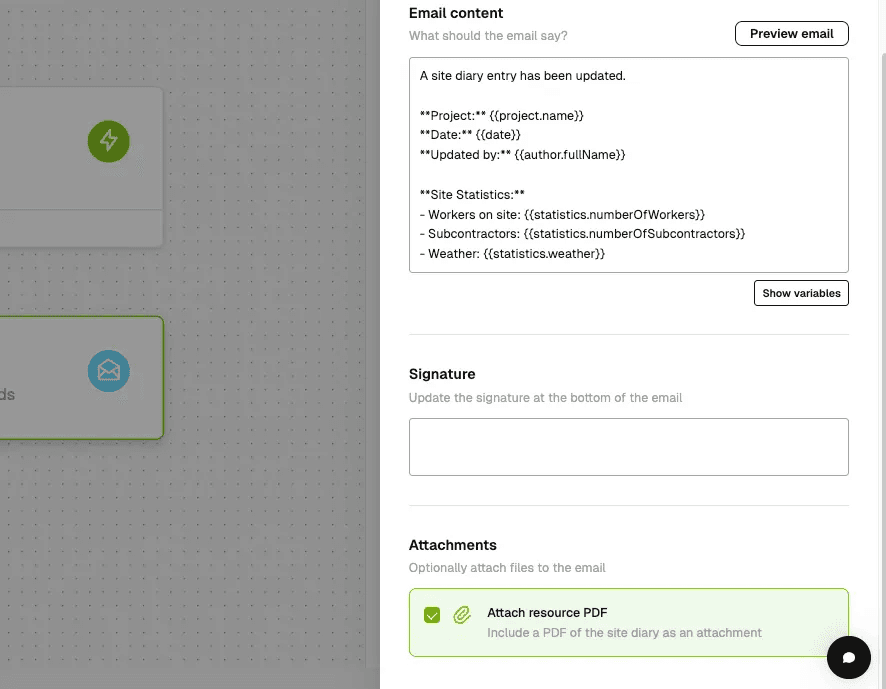
From Workflows > Configure workflows > Send Email, toggle the PDF attachment setting.
Fixes and improvements
- Workflows: Bulk sign-off notifications let you confirm status changes at scale. From Workflows > Configure workflows.
- Daily Logs: Notify your team when a daily log entry is created for faster response to on-site updates.
- Workflows: Easily discard workflow drafts.
- Documents: Company upload limits are now configurable up to 100MB, with separate caps for internal and public portal uploads. Contact support via live chat to configure.